Licensing & activation
MCP Peek is free to use with a one-time Pro unlock. There’s no subscription.
Free vs Pro
Section titled “Free vs Pro”| Free | Pro | |
|---|---|---|
| Servers | 1 | Unlimited |
| Saved inputs | 3 total | Unlimited |
| Inspector, catalog, run tools, all result views, flagging | ✓ | ✓ |
| The proxy (Live flow, topology, per-flow detail) | — | ✓ |
| Review-brief Markdown export | — | ✓ |
| All future updates | ✓ | ✓ |
Pay once. Yours forever — $19, one-time, all future updates included. If you downgrade, any data over the free limits is locked, never deleted.
The upgrade prompt’s CTA opens checkout, handled by Lemon Squeezy (our Merchant of Record). See the Refund Policy and Terms.
Activate
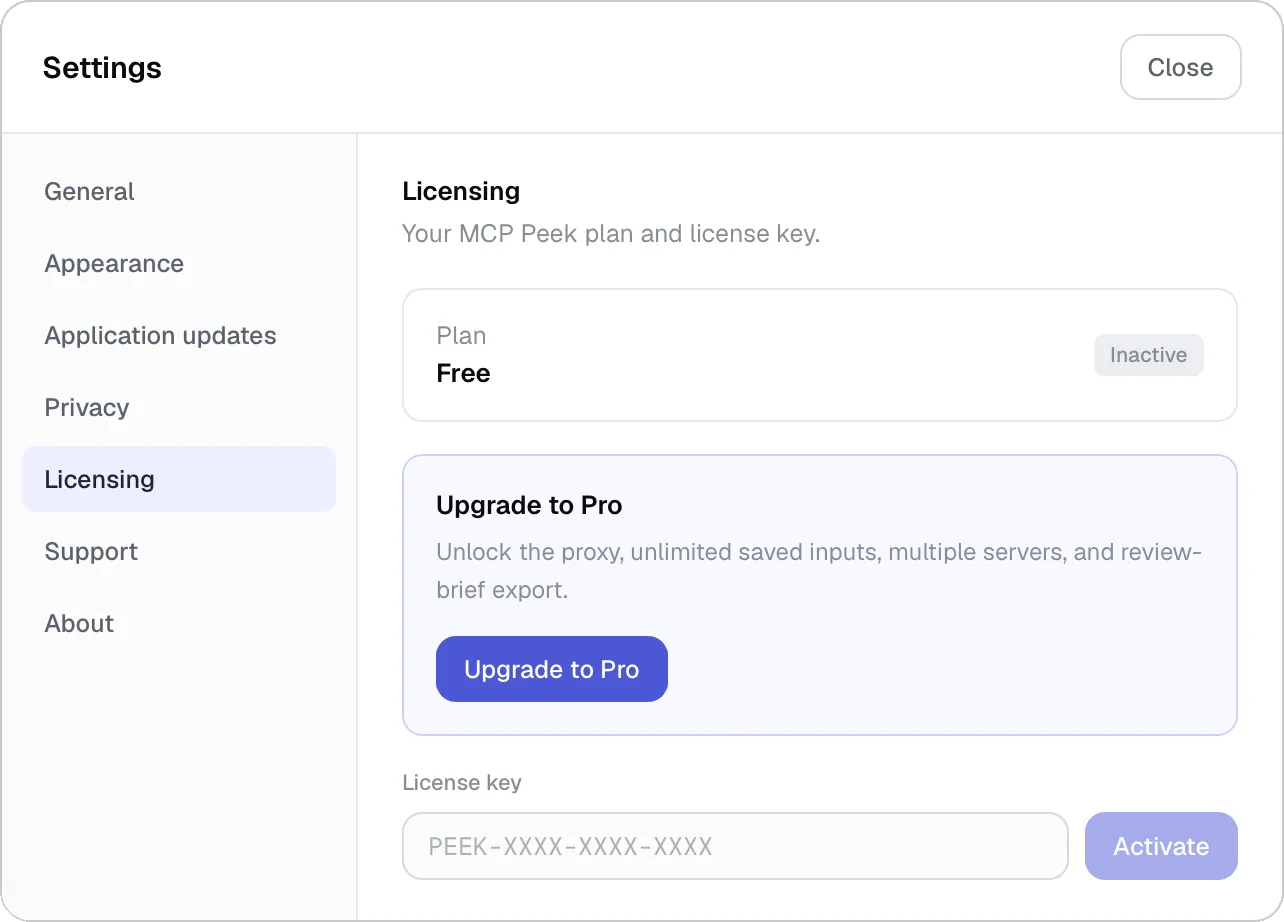
Section titled “Activate”Go to Settings → Licensing, paste your key (PEEK-XXXX-XXXX-XXXX) and click Activate. Pro unlocks immediately — no restart. The panel then shows Devices “1 of 1”, your masked key (reveal / copy), and the purchase date.
Move to another machine
Section titled “Move to another machine”A license activates one device at a time. To move it, click Deactivate this device (“Deactivate? This device returns to the free tier.”) — that frees the activation so you can activate on another machine. Manage license opens the Lemon Squeezy customer portal, where you can re-download or update your details.
Offline & refunds
Section titled “Offline & refunds”Activation is verified by a cryptographically signed grant with a 30-day offline grace period, so a network blip never downgrades you — the app rechecks quietly in the background about every 12 hours. A refund or revoke returns you to the free tier; your over-limit data is locked, not deleted, and re-activating restores it.
Related
Section titled “Related”- What we send — exactly what activation transmits · Connecting servers — the locked-server gate