The proxy
The Proxy is a local debugging passthrough: MCP Peek sits between your AI client and your servers and captures every request and response as a Live flow log you can inspect. It’s built for local debugging — not a production gateway.
Start the proxy
Section titled “Start the proxy”Open the Proxy view from the rail button and configure:
- Bind address —
127.0.0.1(local only),0.0.0.0(all interfaces), or a custom IP. - Port — default 8787.
- Authentication — None, or a Bearer token generated when the proxy starts (with Show / Copy / Regenerate).
Flip the Proxy toggle to start it: “Proxy is running · Listening on {host}:{port}.”
Point your client at it
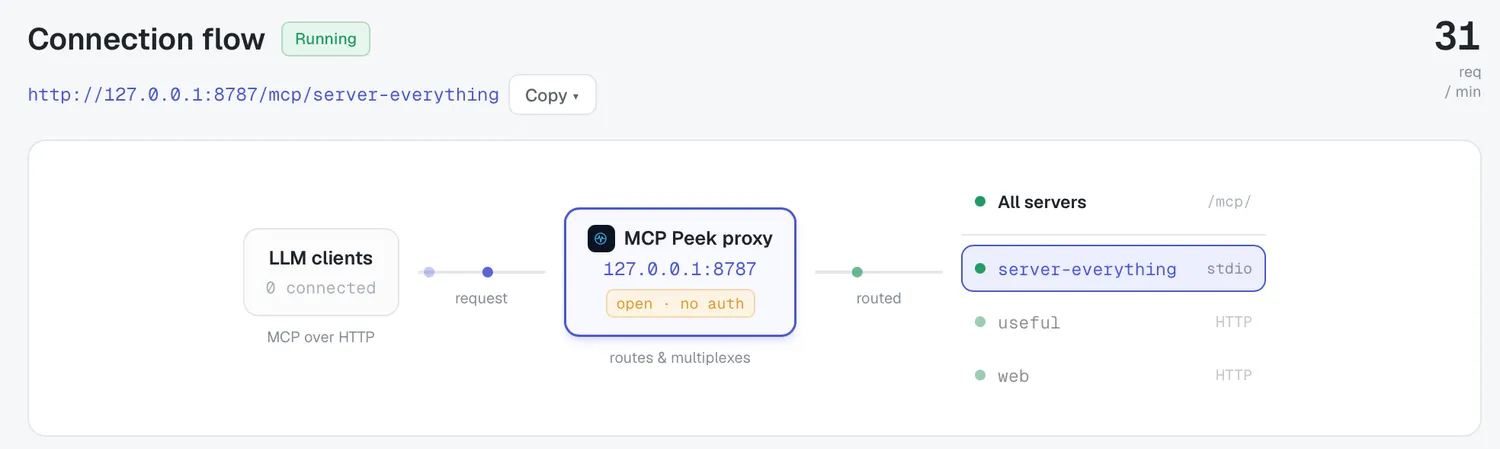
Section titled “Point your client at it”The Endpoints list gives you an aggregate endpoint /mcp/ and per-server endpoints /mcp/{slug}, each with Copy URL. The Connection flow header has a Copy ▾ menu — Copy address, Copy header name (Authorization), Copy header value (Bearer …), Copy bearer token.
Point any MCP client (Claude Desktop, Cursor, etc.) at http://{host}:{port}/mcp/ and add the bearer header if you enabled auth.
The topology diagram shows the path — clients → MCP Peek proxy → servers — with a scope selector (“All servers” or a specific server).
Watch the Live flow
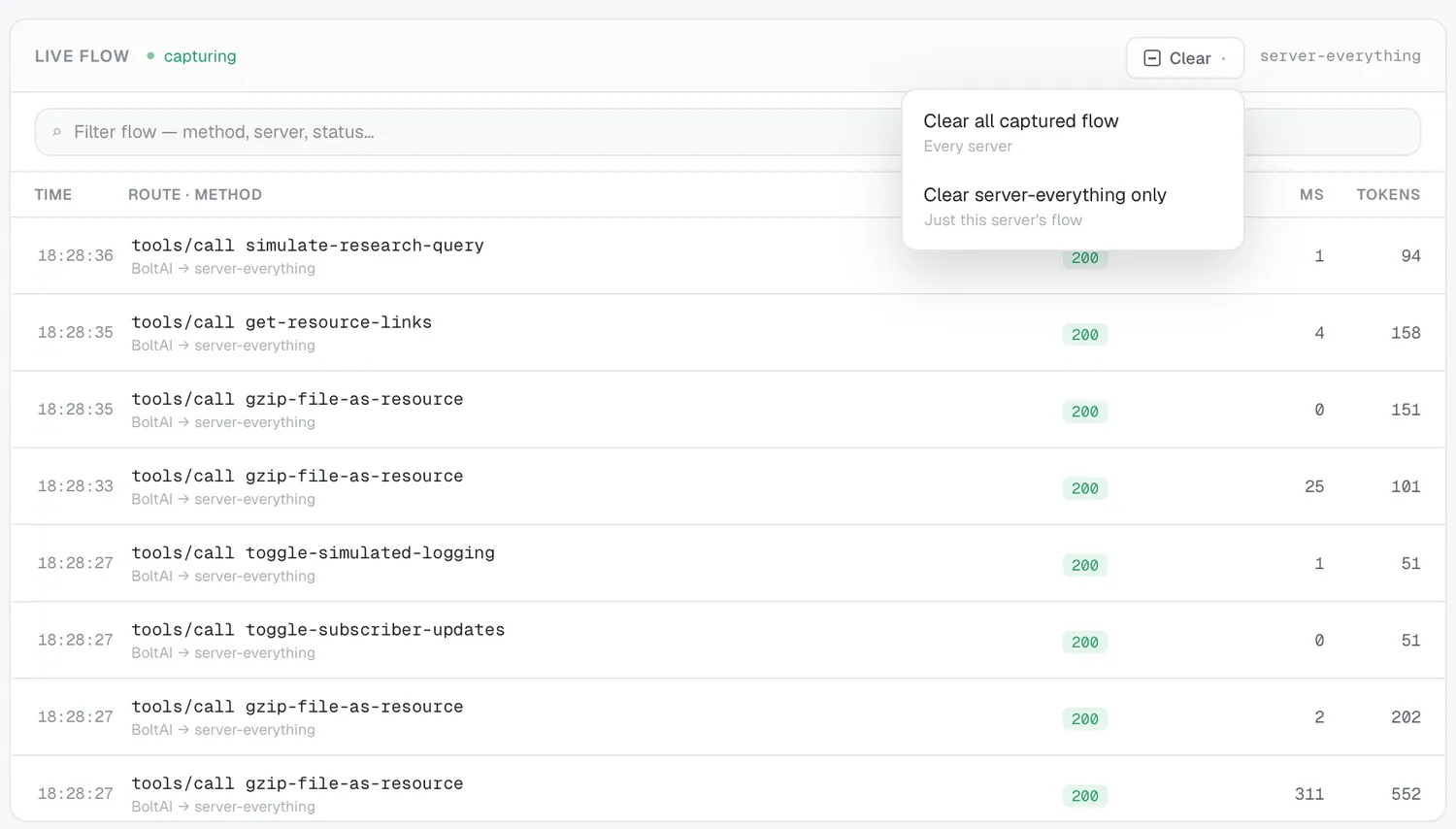
Section titled “Watch the Live flow”The Live flow panel (a pulsing “capturing” indicator) lists every call:
| Column | Meaning |
|---|---|
| Time | When the call happened |
| Route · method | Endpoint and MCP method |
| Status | Result status |
| ms | Round-trip duration |
| tokens | Estimated token cost |
Filter with “Filter flow — method, server, status…”, watch the req/min gauge, and use the Clear ▾ menu (Clear all captured flow / Clear ‹server› only). ↑/↓ navigate rows.
Per-flow detail
Section titled “Per-flow detail”Select a row to open its detail:
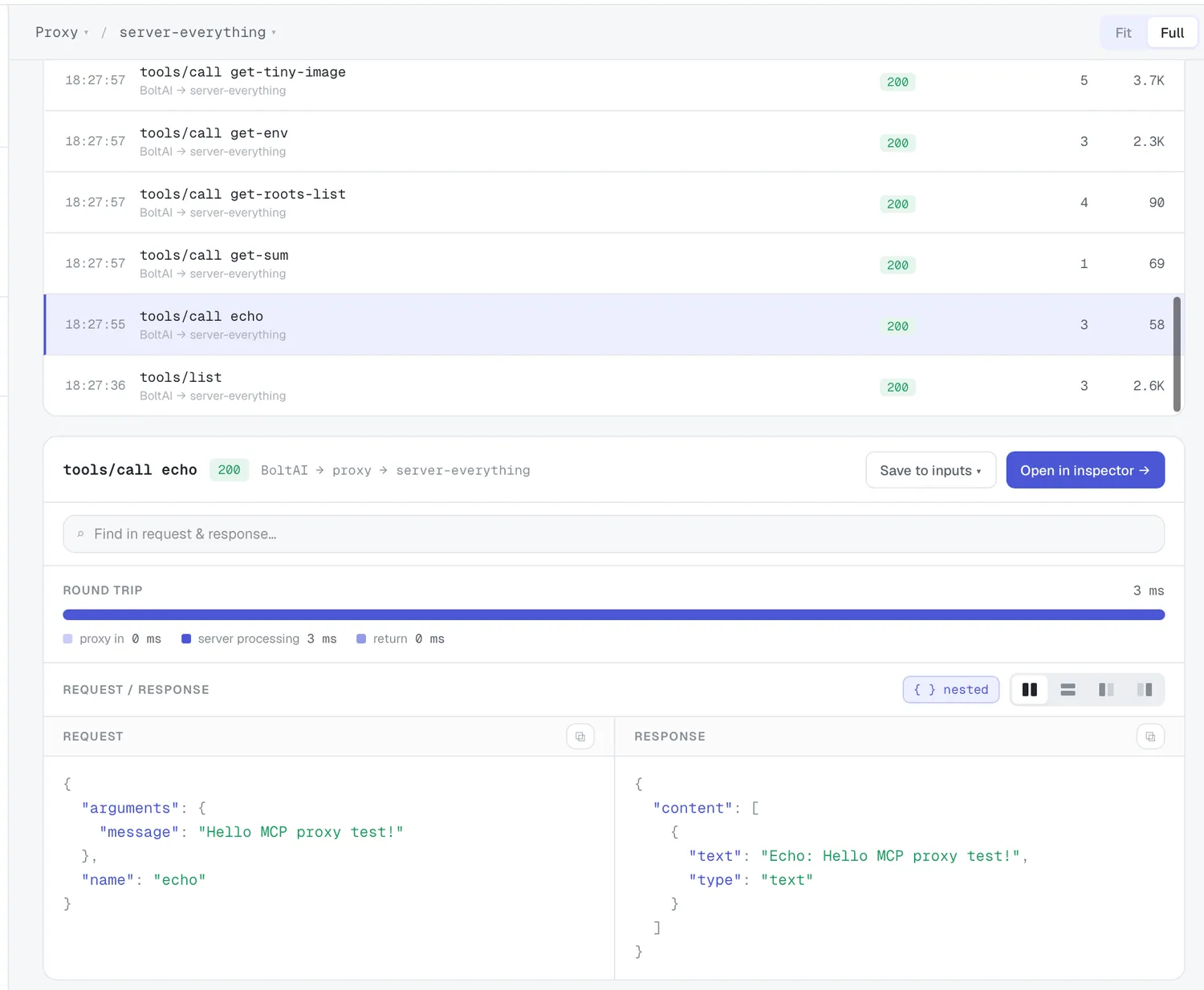
- A Round trip waterfall — proxy in · server processing · return.
- Request / Response — split, stacked, or one at a time, with copy, expand-nested-JSON, and find.
- When a flow maps to a catalog tool or prompt: Save to inputs and Open in inspector → (which stages the arguments into the Inspector so you can re-run them by hand).